If you have no CRM
Then this is it.
The dashboard is your volunteer directory: profiles, notes, groups and hours, the emails you send to your own volunteers, and import and export as a spreadsheet file.
A note to volunteer coordinators
I'm Chelle McAfee. I build systems for nonprofits at Riteway Development in Kansas City. You know the routine:
HoursKept ends that. Your volunteers scan a QR sign with their own phone, in and out, and every hour lands in the record of your choice: your own CRM. No CRM yet? We have that handled too.
Front door
01 · What it fixes
The problem
A clipboard by the door. Some names are hard to read, some people forget to sign, and the sheet goes into a folder nobody opens again.
What HoursKept does
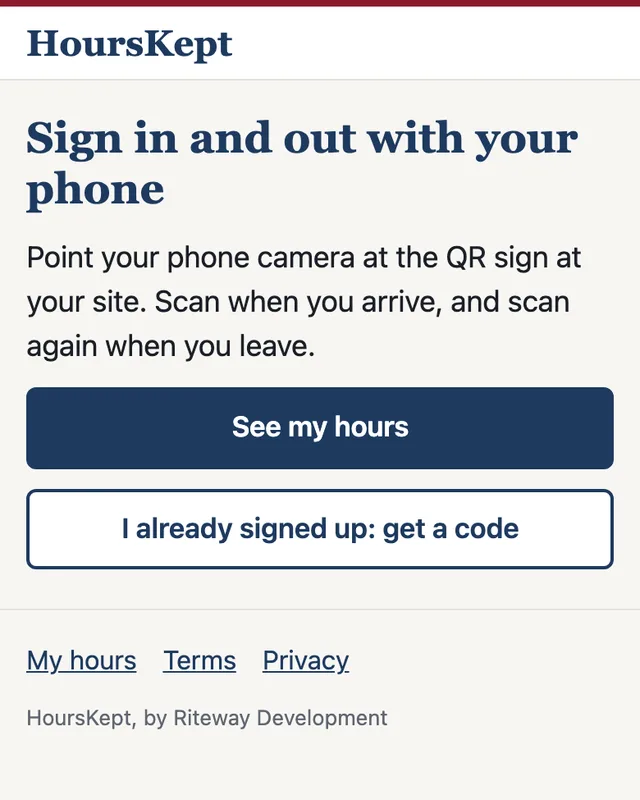
Puts a QR sign at each site. The volunteer points their phone camera at it and they're checked in. The first scan signs them up with a name, an email and a six-digit code. There's nothing to install.
The problem
Somebody types the sheet into your donor management system by hand. Or nobody does, and it never learns who showed up.
What HoursKept does
Puts every hour in the record of your choice: the donor management system you already run, or ours if you have none. We also go into your system and set up your volunteer emails and workflows so they trigger. That setup is an extra fee, quoted per system.
The problem
At month end you dig through sheets, add up hours, and fill out the state's form by hand, one volunteer at a time.
What HoursKept does
Pulls one monthly record for each volunteer, across every site and shift, in one go. The state's own form comes out filled with your organization, the dates and the hours. The volunteer adds their own personal details by hand, then the volunteer signs and your organization signs.
The problem
People sign in and forget to sign out, so the hours turn into a guess.
What HoursKept does
The same sign scans them out, and the volunteer gets an email with the time in, the time out and the total. Your staff see the whole day on one screen: who is booked, who scanned in, and a daily check that each person was there.
The problem
Not everyone wants another app, and not everyone carries a smartphone.
What HoursKept does
Most volunteers use their own phone, with a code sent by email or text. Everyone else uses the door tablet: they type a name, an email and a four-digit code, and show an ID.
The problem
The coordinator fills shifts by text message and memory, and a volunteer never knows what is open.
What HoursKept does
Your organization posts its program and its shifts. Volunteers log in, see the open shifts on their phone and sign up themselves. A booking confirms by email, a reminder goes out before the shift, and the scan at the door credits the booked shift. The public schedule shows the shift, the site and the seats left, never a person. You can require an orientation before a first shift.
The problem
A thank-you, a schedule change or a call for Saturday hands goes out from someone's personal inbox, to a list somebody keeps in a spreadsheet.
What HoursKept does
Pull a list from your volunteer directory: everyone, a tag, the people with hours this month, or the people who have gone quiet. Write the email in your own words or paste your own HTML, and send it from HoursKept with your organization as the sender. Each volunteer's consent is respected, every message carries an unsubscribe, and the send is recorded beside their hours.
02 · Why I built it
I build systems for nonprofits, and I kept hitting the same gap. Small programs run on volunteers. Those volunteers give real time. Then somebody asks for proof of it, a caseworker, a court, a funder, and the record is a sign-in sheet, a memory, or a box a staff member checked in the CRM.
In the CRMs I work in, attendance is a status someone sets. The hours are the scheduled length of the shift, or a number typed in by hand. Nobody can sign that and feel good about it. So the volunteer loses track of time they gave, and the organization spends the end of every month rebuilding it.
The software I looked at is built for you to run yourself. Small programs don't have a person for that. So we run it for you, and it keeps an honest record from the first scan. It never asks anyone about their benefits.
Two rules shaped all of it. Your organization verifies and signs; we only record. And you keep the CRM you already run.
Built in Kansas City by Riteway Development.
You keep the donor management system you already run. We work on top of it and fix the pain points, including setting up your volunteer email communications and workflows inside it so they trigger. That setup is an extra fee, quoted per system. And we collate all of it into one dashboard, which most systems cannot and do not do.
If you have no CRM
The dashboard is your volunteer directory: profiles, notes, groups and hours, the emails you send to your own volunteers, and import and export as a spreadsheet file.
If you run one
The scans, your team's daily check that each person was there, the monthly records and what goes to your CRM, in one place.
03 · What it costs
Every tier includes 150 active volunteers, meaning anyone who scanned at least once that month. Volunteers never pay.
$99 a month
Setup $500, waived for pilot organizations
$249 a month
Setup $750
$449 a month
Setup $1,500
04 · How we start
The first seats go to Missouri nonprofits with paid staff and scheduled shifts. Five first, then five more every two weeks, so each one is onboarded properly. I run the onboarding myself.
One of each, by name.
The QR sign posted at both.
To sign each monthly record after month end.
A check-in with us each week.
Free in the pilot: scan in and out, the public schedule, the monthly record and the state form. CRM connectors are never part of the free pilot. The pilot agreement goes through legal review first, and no one signs before that review is done.
What you hand over is a record of scanned time, verified and signed by your organization. The agency, court or funder that asks for it decides what it accepts. Tell us the first time one turns a record down, and we'll work it with you.
It's yours. No other organization sees it. The volunteer writes their own personal details on the state form by hand, we keep no benefit numbers, and you can export everything whenever you want.
No. If you have one, we work on top of it. If you don't, the HoursKept dashboard is your volunteer directory, and you never need another tool to run volunteers.
At day 45 we look at your numbers and the price together. At day 60 you convert, extend once for a named reason, or export your data and leave. The agreement states the billing.
Tell me where you are. Larry Isom on my team reads every request and writes back to you himself.
Chelle McAfee · Riteway Development · Kansas City